




Table of Contents
Get Custom eCommerce Fulfillment Service
Book a Meeting
WMS, WES, and WCS Explained for Ecommerce Warehouses
Time: Oct 14,2026 Author: SFC Source: www.sendfromchina.com
Two warehouses can own similar shelves, scanners, conveyors, and robots yet produce very different results. One clears orders smoothly before the carrier cutoff. The other has expensive equipment sitting idle while people wait for replenishment, stations build queues, and urgent orders get buried in a batch.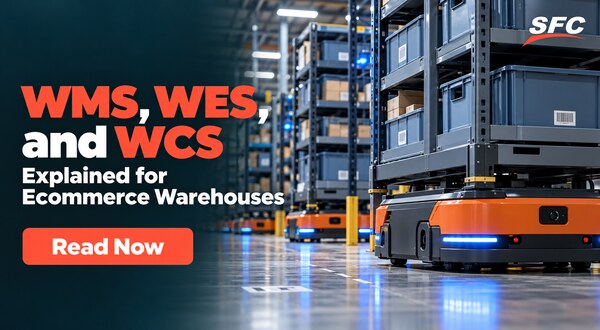
The missing piece is not always more hardware. Often, it is the software layer deciding what should happen next.
That is where the difference between a WMS, or Warehouse Management System, and a WES, or Warehouse Execution System, matters.
In simple terms, a WMS manages warehouse inventory, orders, locations, and processes. A WES coordinates work in real time across people, tasks, stations, software, and automation. A WCS, or Warehouse Control System, sits closer to the machines and controls equipment behavior.
The boundaries are not perfectly standardized. Some vendors put execution features inside a WMS. Others market a WES as a separate orchestration layer. So the smart question is not, “Which acronym is better?” It is, “Which capabilities do we need, and which system should own each decision?”
For brands using ecommerce fulfillment in China, that distinction becomes useful when order volume, service-level promises, multiple sales channels, and mixed manual-plus-automated workflows start competing for the same warehouse resources.
WES vs. WMS vs. WCS at a Glance
|
Question
|
WMS
|
WES
|
WCS
|
|
Primary role
|
Manages inventory, orders, locations, and warehouse processes
|
Coordinates and optimizes work across people, software, and automation
|
Controls automated equipment at the machine layer
|
|
Main question
|
What stock exists, where is it, and what work is required?
|
What should happen next, in what order, and with which resources?
|
How should this conveyor, robot, sorter, or ASRS move now?
|
|
Typical scope
|
Receiving, put-away, allocation, picking, packing, shipping, returns, and counting
|
Order release, task priority, workload balancing, queues, routing, and exceptions
|
Equipment commands, sensors, PLCs, routes, lifts, and machine states
|
|
Works with
|
ERP, OMS, ecommerce platforms, scanners, labor, and automation
|
WMS, WCS, labor, stations, automation, and live operating data
|
Conveyors, sorters, ASRS, AMRs, robots, sensors, and PLCs
|
|
Best fit
|
Most warehouses that need reliable operational control
|
Complex or highly automated operations with competing work and bottlenecks
|
Facilities with automated equipment that needs real-time control
|
This table is a useful starting point, not a rigid rulebook. A modern WMS may release work dynamically. A WES may include some equipment-control functions. A WCS may include workflow logic for a specific automation system. Compare the actual feature set, interfaces, and ownership boundaries.
What Is a WMS?
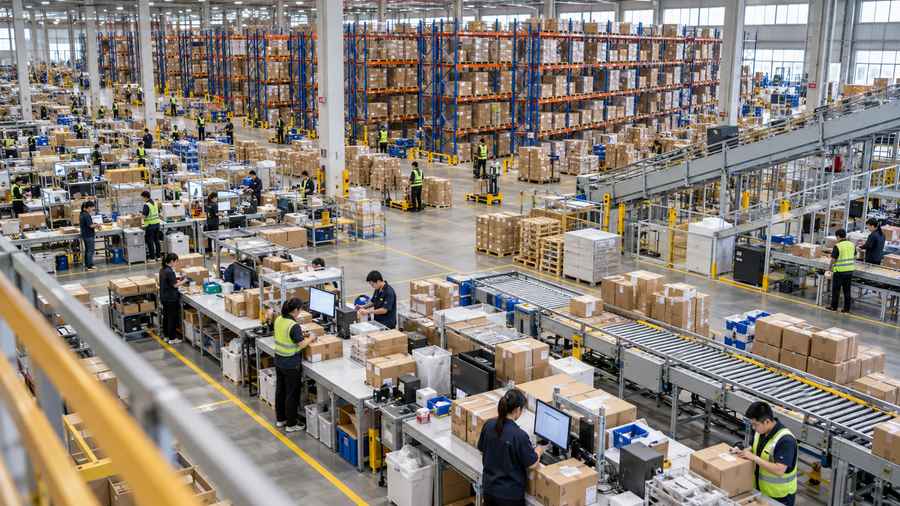
A Warehouse Management System is the operational system that records and manages what happens inside the warehouse. It is usually the main source of truth for inventory and warehouse transactions.
A WMS can track:
- SKUs, variants, lots, batches, serial numbers, and expiration dates
- Warehouse zones, aisles, bins, shelves, pallets, and pick faces
- Units of measure, such as each, inner carton, case, and pallet
- Inventory status, including available, reserved, damaged, quarantined, and returned stock
- Purchase orders, advance shipping notices, receipts, and quality checks
- Sales orders, allocation, backorders, and fulfillment status
- Picking, packing, shipping, replenishment, cycle counting, and returns
For a warehouse team, the WMS answers practical questions such as:
- Which SKU arrived?
- How many units were received and accepted?
- Where should those units be stored?
- Which orders can be allocated from available stock?
- What work remains before dispatch?
- What inventory adjustment or return disposition was recorded?
A WMS also connects warehouse activity to the outside business. It may exchange order and stock data with an ERP, an OMS, Shopify, Amazon, a marketplace, a carrier system, scanners, label printers, and automation equipment.
For example, a China warehousing operation may use its WMS to receive goods from a supplier, scan carton contents, place units into a location, reserve stock for an order, and confirm the final shipment. The WMS is responsible for making those records consistent.
The WMS as the System of Record
The “system of record” idea is important. If inventory is moved from bin A-03 to bin B-11, the WMS should know. If ten units are reserved for a customer order, the WMS should reflect that status. If returned units are held for inspection, the WMS should prevent them from being sold as available stock.
Without reliable records, a WES has a weak foundation. It may optimize the wrong inventory, release a task for stock that is not actually pickable, or send work toward a station that cannot complete it.

What Is a WES?
A Warehouse Execution System coordinates work while the warehouse is running. It looks at current demand, available labor, station capacity, inventory conditions, equipment status, queues, and deadlines, then helps decide how work should flow.
Think of the WMS as the warehouse’s detailed operating record. The WES is the traffic coordinator watching the road in real time.
A WES may handle or support:
- Dynamic order release instead of releasing every order at once
- Task sequencing based on urgency, carrier cutoff, location, and available capacity
- Workload balancing across zones, pickers, robots, and stations
- Queue management for picking, packing, replenishment, and exception work
- Routing between manual areas, automation zones, and workstations
- Bottleneck detection and response
- Replenishment prioritization when a fast-moving pick face is running low
- Rework and exception queues for shortages, damaged goods, failed scans, or equipment stops
- Coordination across conveyors, sorters, ASRS, AMRs, goods-to-person stations, and human operators
The WES does not necessarily own the underlying inventory record. Instead, it uses inventory and order data from the WMS, then makes better execution decisions using live operating conditions.
A Simple WES Workflow
Imagine a China 3PL receives 5,000 orders in the morning:
- The WMS imports the orders, checks inventory, allocates stock, and identifies the work required.
- The WES checks order priority, carrier deadlines, station capacity, labor availability, automation status, and current queues.
- The WES releases a controlled amount of work instead of flooding every zone.
- Pick tasks are sequenced to balance travel, urgency, and available resources.
- Replenishment is moved ahead of picking when a high-volume location is close to empty.
- A WCS or equipment controller moves totes, cartons, trays, or pallets through the physical system.
- The WES reacts when a sorter stops, a pack station fills, or a manual zone falls behind.
- The WMS records completed tasks, inventory movements, and shipment results.
That is the practical difference. The WMS knows what work exists. The WES helps keep the work moving under changing conditions.

What Is a WCS and Why Does It Matter?
A Warehouse Control System manages equipment-level execution. It may communicate with programmable logic controllers, sensors, conveyors, sorters, lifts, shuttles, ASRS machines, and robotic systems. MHI's warehouse software overview also emphasizes that these product boundaries can overlap, so buyers should compare functions rather than labels alone.
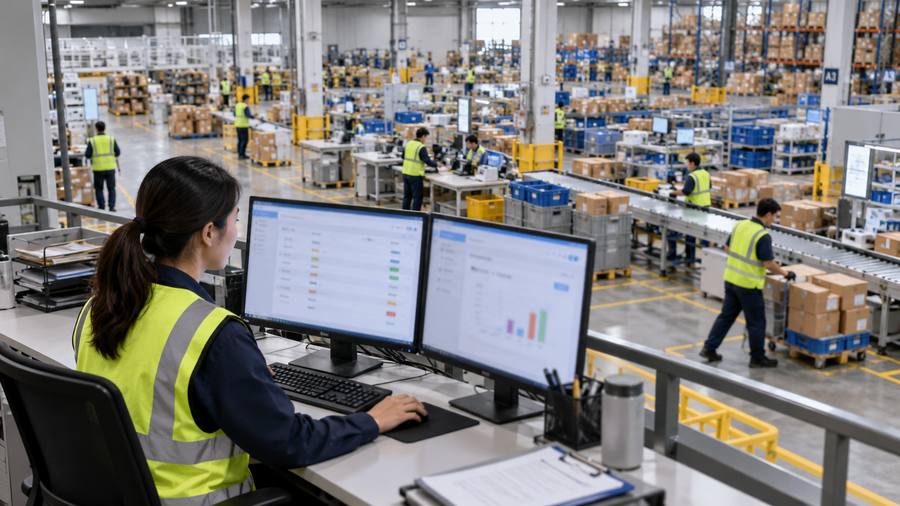
The WCS is closer to the physical movement. It may receive a command to send a tote to a specific destination, confirm that a photo-eye detected the tote, stop a conveyor when a downstream area is full, or report that a machine is unavailable.
The difference can be shown with one tote:
- WMS: This tote contains units allocated to order 12345.
- WES: Send this tote to the next available picking or packing resource, with order 12345 prioritized before the carrier cutoff.
- WCS: Move the tote through conveyor zone 4 and divert it at sort point B.
In some projects, WES and WCS functions are combined. In others, they are separate products from different suppliers. The name matters less than the control boundary: who decides the work, who sends the machine command, and who records the completed transaction?
The Layered Warehouse Architecture
A useful warehouse architecture has several layers:
|
Layer
|
Typical systems
|
Main responsibility
|
|
Business and demand
|
ERP, OMS, ecommerce platforms, marketplaces
|
Customers, products, orders, purchasing, and commercial rules
|
|
Warehouse management
|
WMS
|
Inventory, locations, warehouse transactions, and process records
|
|
Warehouse execution
|
WES
|
Work release, sequencing, prioritization, balancing, and flow
|
|
Machine control
|
WCS and equipment controls
|
Commands, routes, sensors, PLCs, and machine states
|
|
Physical operation
|
People, racks, stations, conveyors, robots, and inventory
|
The actual movement, handling, and inspection of goods
|
Not every warehouse needs all five layers. A small manual warehouse may operate well with an ecommerce platform and a WMS. A high-volume fulfillment center with several automation zones may need a WMS, WES, and multiple WCS interfaces.
The mistake is buying layers by fashion. The better approach is mapping the decisions and transactions first.
What a WMS Does in Daily Warehouse Operations
Receiving and Put-Away
The WMS receives purchase-order or inbound-shipment data, records arrival, supports barcode scanning, and places goods into an inventory state. It may guide quality checks, capture discrepancies, and recommend a storage location.
Put-away rules can consider product dimensions, velocity, temperature, lot control, compatibility, and available space. Once stock is placed, the location and quantity become part of the warehouse record.
Inventory Control
Inventory control covers more than a quantity number. A WMS may track ownership, lot, batch, serial, expiration, condition, quarantine, and unit of measure. It can support cycle counts, adjustments, stock holds, and reconciliation.
This is where inventory accuracy lives. If the WMS says an item is available in a bin, the execution layer needs to trust that signal before it releases a pick task.
Order Management and Allocation
The WMS imports or receives orders, checks inventory, reserves stock, handles backorders, and creates warehouse work. It can group orders into waves, batches, zones, or other operating units.
A WMS may also apply rules for FIFO, FEFO, serial capture, channel priority, customer ownership, or shipping method. The exact allocation process varies by platform and product type.
Picking, Packing, Shipping, and Returns
The WMS creates pick work, supports scan confirmation, and records shortages or substitutions. At packing, it may validate the order, calculate package information, print labels, and confirm dispatch.
It can also receive returned goods, record inspection results, and assign a disposition such as restock, repair, recycle, or return to supplier. A order fulfillment workflow becomes much easier to audit when each step has a timestamp and operator or device record.
What a WES Adds to the Warehouse
A WES becomes valuable when the warehouse has more work choices than a simple static plan can handle.
Dynamic Order Release
Releasing every available order at the start of a shift may look productive, but it can create a mess. Pick queues grow, replenishment arrives too late, packing runs out of work in one area and too much in another, and urgent orders compete with low-priority orders.
A WES can release work in smaller, controlled groups based on capacity and deadlines. This is sometimes called waveless or continuous fulfillment, although implementations vary.
Task Sequencing and Workload Balancing
The WES can compare tasks across zones and resources. It might send a task to a picker who is already near the location, delay a low-priority batch, or redirect work when a station is down.
The goal is not to make every worker busy every second. The goal is to keep the whole order flow balanced. A busy picking zone does not help if completed totes wait for an overloaded packing area.
Replenishment and Exception Management
Replenishment is a good example of execution logic. The WMS may know the minimum quantity for a pick location. The WES can add urgency by checking open orders, the pick queue, travel time, and the risk of a stockout before deciding which replenishment task should happen first.
The same principle applies to exceptions. A short pick, failed scan, damaged carton, or automation fault should not disappear into a generic error list. A WES can route the issue, prioritize it, and expose its age to supervisors.
Automation Orchestration
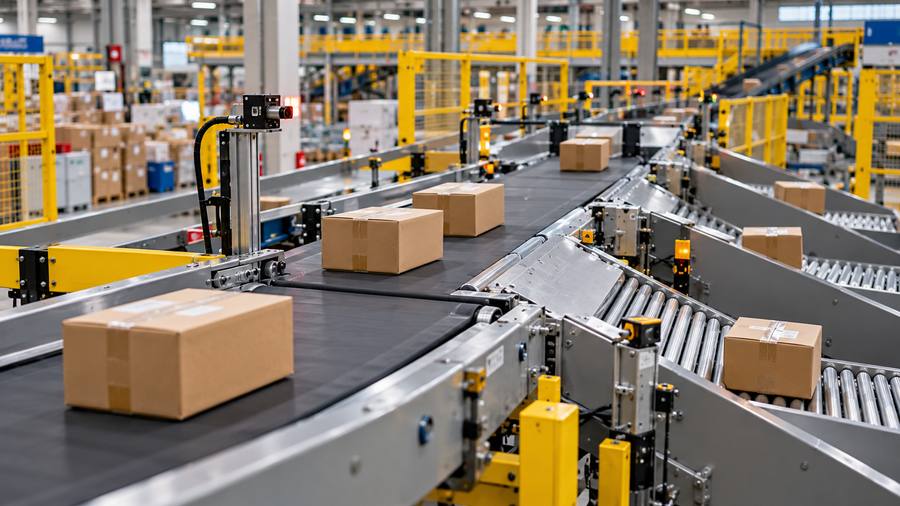
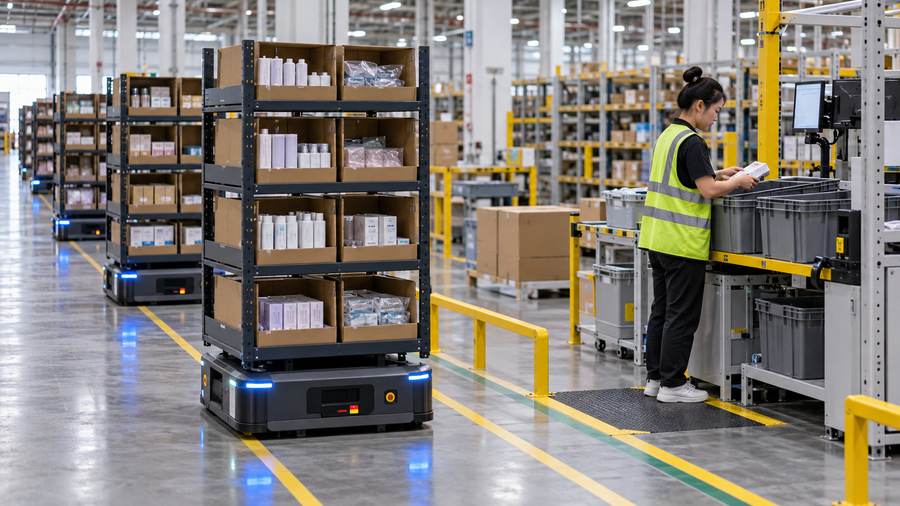
In a mixed operation, the WES can coordinate manual picking with goods-to-person stations, AMRs, conveyors, sorters, and pack cells. It may decide which work enters an automation zone and when, while the WCS handles equipment-level movement.
This orchestration is often the reason a warehouse considers WES. The physical machines are not necessarily the problem. The problem is that each resource behaves like its own island.
Side-by-Side Feature Comparison
|
Capability
|
WMS focus
|
WES focus
|
|
Inventory
|
Record quantity, location, ownership, and status
|
Use live inventory context when prioritizing work
|
|
Orders
|
Import, allocate, release, and track
|
Sequence and pace work against capacity
|
|
Picking
|
Create or support picking tasks
|
Balance zones, people, stations, and equipment
|
|
Replenishment
|
Define minimums, maximums, and replenishment tasks
|
Prioritize replenishment against urgent demand
|
|
Automation
|
Exchange orders and status with equipment
|
Coordinate workflows across multiple automation areas
|
|
Labor
|
Track tasks and productivity
|
Balance workloads and resource availability
|
|
Bottlenecks
|
Report operational status
|
Detect and respond to flow constraints
|
|
Exceptions
|
Record holds, shortages, and errors
|
Route and reprioritize exceptions in real time
|
|
Reporting
|
Inventory, orders, accuracy, and activity
|
Throughput, queues, utilization, flow, and execution performance
|
How WMS and WES Work Together in Ecommerce Fulfillment
Consider a China 3PL handling three order types:
- Shopify orders must leave before a parcel carrier cutoff.
- Amazon orders have marketplace service-level requirements.
- Wholesale orders need carton-level packing and different labels.
The same warehouse contains manual shelving, a goods-to-person system, conveyors, pack stations, and a returns area.
The WMS owns the order and inventory truth. It knows which units are available, reserved, picked, packed, and shipped. The WES looks at that work alongside live capacity. It may release urgent parcel orders first, hold wholesale work until carton components are ready, and slow a picking zone when pack stations are full.
The WCS or equipment controller moves totes and cartons. Operators handle manual tasks. The WES connects those streams so that one area does not overwhelm another.
At the end, the WMS receives completion events and updates inventory and order status. The OMS, ecommerce channels, and customer notifications receive the appropriate shipping updates.
The result is not “WES replaces WMS.” It is a division of responsibility.

When a WMS Is Enough
A WMS may be enough when:
- Most work is manual and follows stable processes.
- SKU count and daily order volume are manageable.
- There are few automation zones or equipment vendors.
- Supervisors can see queues and adjust work without complex software.
- Carrier cutoffs are predictable and not constantly competing.
- The biggest issues are inventory accuracy, bad locations, receiving delays, or weak scan discipline.
- The existing WMS has unused configuration or reporting capabilities.
In these situations, buying a WES can add integration cost without fixing the real issue. First improve master data, location discipline, replenishment rules, labor planning, and WMS configuration.

When a Warehouse Should Consider WES
A WES deserves serious evaluation when several of these conditions exist:
- Orders compete across manual and automated areas.
- Multiple automation systems need coordinated work release.
- One zone is constantly starved while another has a queue.
- The warehouse misses cutoffs even though labor and equipment appear available.
- Supervisors rely on spreadsheets or radio calls to rebalance work.
- Replenishment is reactive and interrupts picking.
- A sorter, conveyor, robot, or station failure quickly disrupts the whole flow.
- The business needs different priorities for DTC, marketplace, wholesale, and replacement orders.
- A 3PL must balance multiple clients using shared labor and equipment.
These are execution problems. A WES can help, but only if the warehouse can provide reliable events and clear operating rules.

What WES Does Not Solve Automatically
A WES is not a magic layer placed over operational confusion.
It will not automatically fix:
- Incorrect SKU dimensions or units of measure
- Inaccurate inventory balances
- Poor warehouse layout
- Unclear client priorities
- Missing carrier cutoff data
- Bad barcode quality
- Untrained operators
- Equipment that cannot report useful status events
- A WMS that cannot represent the required inventory states
Think of WES as a skilled dispatcher. A skilled dispatcher cannot send the right truck if the address book is wrong or the roads are closed but nobody reports it.
WES vs. WMS for 3PL and China Ecommerce Operations
3PL warehouses have an extra layer of complexity: different clients may have different service levels, packaging rules, inventory ownership, return policies, and billing logic.
A WMS normally manages client, SKU, inventory, location, and order records. A WES can help allocate shared resources while respecting client priorities. For example, a same-day launch campaign may receive a temporary priority without permanently changing the rules for every other client.
The 3PL should define:
- Which client rules are stored in the WMS, WES, OMS, or contract
- How priority changes are approved and audited
- How labor and automation capacity are shared
- How client-specific packaging or value-added services are queued
- Which execution events clients can see
- How SLA metrics are calculated
- What happens when one client’s order surge affects another client’s cutoff
At the pack stage, packing and customization may include inserts, bundles, kitting, branded materials, or quality checks. The WMS can record the required work. The WES can help schedule it around station capacity and shipping deadlines.
Integration Architecture and Data Requirements
Good WES performance depends on clean integration. Before implementation, document the following.
Ownership and Source of Truth
Define who owns each object and status:
- Product and SKU master data
- Inventory quantity and availability
- Order priority and promise date
- Warehouse task status
- Equipment status
- Shipment and tracking status
- Return disposition
Two systems should not both claim to be the final authority for the same field without a clear conflict rule.
IDs and Events
Use consistent identifiers for SKUs, locations, totes, cartons, pallets, tasks, orders, and shipments. Define events such as task-created, task-released, pick-started, pick-completed, exception-raised, carton-diverted, pack-completed, and shipment-confirmed.
Also define error handling. What happens when an API call times out? Can a message be retried without duplicating a shipment? What happens if the WES is temporarily unavailable? Can the warehouse operate in a controlled fallback mode?
For an API and integration review, ask for sample payloads, webhook behavior, retry rules, status mapping, authentication, rate limits, logging, and ownership of failed messages.
Required Operating Data
Useful inputs can include:
- Order priority, promised ship time, carrier cutoff, and service level
- Task duration, travel time, zone, and required equipment
- Station capacity and current queue length
- Labor availability, skills, and shift assignment
- Inventory location, status, and replenishment need
- Automation availability, fault state, and estimated recovery time
Without these inputs, “real-time optimization” may simply be a new screen showing old data.

WES and WMS Materials, Equipment, and Applications
Software should fit the physical process. Common warehouse tools include:
- RF scanners and mobile terminals
- Voice picking and voice-directed work
- Pick-to-light and put-to-light systems
- AMRs and AGVs
- ASRS, shuttles, vertical lift modules, and pallet cranes
- Conveyors, sorters, diverts, and merges
- Goods-to-person workstations
- Print-and-apply label systems
- Scales, dimensioners, cameras, and vision systems
- Packing, quality-control, and returns stations
For example, a WES may decide that a group of orders should enter a goods-to-person system, while a WCS manages the shuttle and conveyor movements. A manual picker may receive a different task through a voice device. Both workflows can still be tracked in the WMS.
The right design starts with the work, not the equipment brochure. Map the order profile, product shape, handling requirements, and exception paths before selecting software.
Industry Use Cases
Ecommerce and Direct-to-Consumer
Ecommerce warehouses deal with high order variation, fast cutoffs, promotional spikes, multiple channels, and returns. A WES is most useful when work must be constantly reprioritized across zones and stations.
3PL and Multi-Client Warehouses
3PLs need tenant separation, shared resources, client-specific rules, and auditable SLA reporting. WES can help balance shared work, but it should not hide the inventory and billing records a client needs to verify.
Apparel and Fashion
Apparel has many size and color variants, seasonal demand, high returns, and frequent put-away changes. Execution logic can help balance fast-moving pick faces, returns inspection, and replenishment.
Electronics and Consumer Devices
Electronics may require serial tracking, secure storage, testing, and controlled returns. The WMS handles traceability. The WES can prioritize high-value work and coordinate inspection or rework stations.
Grocery and Perishables
Expiry, lot, temperature, and short shelf-life rules make timing important. The WMS needs accurate product and inventory states. WES may coordinate urgent picks and replenishment, but the business rules must be explicit.
Manufacturing and Spare Parts
Spare-parts operations often need critical-item priority, kitting, line-side replenishment, and service-level visibility. A WES can help when urgent parts compete with routine work across shared resources.
WES ROI and Cost Model
Do not estimate WES value from speed alone. Use a broader model:
Expected WES value = labor savings + avoided downtime + useful throughput capacity + service-level improvement + error reduction - software cost - integration cost - equipment cost - implementation cost - change-management cost
Each term needs evidence. Throughput capacity is not automatically revenue. The business also needs demand, inventory, labor, carrier capacity, and customer promises to benefit from faster execution.
Compare three paths:
- Improve the current WMS. Best when the warehouse is mainly manual or the issue is configuration and data quality.
- Add a WES around the current WMS and automation. Best when the WMS is reliable but real-time coordination is weak.
- Replace or consolidate systems. Best only when the current architecture cannot support required transactions, interfaces, or visibility.
Use a baseline before making a claim. Record order cycle time, queue time, labor hours, replenishment delays, exception aging, cutoff attainment, and error cost. Then compare the pilot against the same order profile.
For a broader cost review, connect software investment with storage, labor, packing, and shipping using this China fulfillment cost guide.
Implementation Roadmap
Phase 1: Assess Processes and Data
Map receiving, put-away, replenishment, picking, packing, shipping, returns, exceptions, and carrier cutoffs. Capture real order profiles, not just an average daily volume.
Phase 2: Define System Boundaries
Write down what the ERP, OMS, ecommerce platform, WMS, WES, WCS, carrier system, and equipment controls own. This sounds boring. It prevents expensive arguments later.
Phase 3: Clean Master Data and Events
Correct units of measure, dimensions, locations, barcodes, task statuses, equipment states, and inventory conditions. Agree on event names and timestamps.
Phase 4: Pilot One Workflow
Choose one zone, order type, or bottleneck. Define success criteria before the pilot starts. A controlled pilot is easier to learn from than a warehouse-wide launch.
Phase 5: Connect Equipment and Manual Work
Test normal flow, shortages, station stops, scanner failures, slow operators, full queues, and recovery. Manual fallback is part of the design, not an afterthought.
Phase 6: Expand Carefully
Add order types, clients, automation zones, value-added services, and peak scenarios only after the first workflow is stable.
Phase 7: Govern and Tune
Review rules, queue performance, exceptions, and changes. A WES that is never tuned will eventually reflect yesterday’s warehouse.
KPIs to Compare WMS and WES Performance
Track both record accuracy and execution flow:
- Inventory accuracy and order accuracy
- Pick rate and lines per labor hour
- Orders released per hour
- Queue time by zone and station
- Station and equipment utilization
- Throughput by order profile
- Replenishment response time
- Exception aging and rework rate
- Cutoff attainment
- Dock-to-stock time
- Order cycle time
- Automation fault recovery time
- Labor travel or touches, where measurable
Do not celebrate higher throughput if accuracy drops or urgent orders miss their promised cutoff. WES KPIs should sit beside service, quality, inventory, and cost metrics.
Common Mistakes
Buying WES Before Fixing WMS Data
Bad inventory and location data can make a sophisticated execution layer look unreliable. Fix the foundation first.
Treating WES and WCS as Identical
One coordinates work. The other usually controls equipment. Combining them in a sales conversation without defining the boundary creates integration risk.
Assuming WES Should Own Inventory Truth
If multiple systems update inventory without a clear authority, discrepancies become difficult to investigate. Define the source of truth.
Releasing Every Order at Once
More released work does not mean more completed work. Control work in process and protect the bottleneck.
Ignoring Manual Work
Even an automated warehouse has receiving, exception, replenishment, returns, quality checks, and packing tasks that may need people.
Measuring Throughput Without Quality
Fast wrong shipments create returns, customer service work, reshipping, and lost trust. Measure order accuracy and service level with throughput.
Failing to Define Degraded Mode
Every system can have downtime. Document what operators can do when the WES, WCS, network, scanner, or equipment interface is unavailable.
Conclusion
The difference between a WES and a WMS is mainly a difference in operational responsibility.
A WMS manages inventory, locations, orders, and warehouse transactions. A WES coordinates work in real time across people, tasks, stations, and automation. A WCS handles equipment-level control. In many warehouses, these layers work together rather than replace one another.
If your warehouse is mostly manual and the main issues are inaccurate stock, poor locations, or weak process discipline, improve the WMS and the operation first. If the bottleneck is constantly changing work across several zones, stations, labor pools, and automation systems, a WES may be the missing coordination layer.
The best buying decision starts with a capability map, clean data, explicit system boundaries, and a measured pilot. In other words, buy the operating capability you can prove you need, not just the acronym that sounds newest.
FAQs
1. What is the difference between a WES and a WMS?
A WMS manages inventory, locations, orders, and warehouse processes. A WES coordinates the timing, priority, sequence, and resource assignment of warehouse work in real time. The WMS records what happened; the WES helps decide what should happen next.
2. Does a WES replace a WMS?
Usually, no. A WES commonly works with a WMS rather than replacing it. Some vendors combine both sets of functions in one platform, so compare capabilities and system ownership instead of relying on product names.
3. What is the difference between WES, WMS, and WCS?
WMS manages warehouse information and transactions. WES orchestrates work across people, tasks, stations, and automation. WCS controls equipment such as conveyors, sorters, ASRS, and robots at the machine layer.
4. Can a small warehouse use a WES?
Yes, but it may not need one. A small warehouse should first check whether its real issues are inventory accuracy, layout, WMS configuration, or training. A WES is more likely to earn its place when multiple resources and priorities compete in real time.
5. When does a warehouse need WES software?
Common signals include persistent bottlenecks, competing automation zones, manual spreadsheet-based dispatching, poor workload balance, frequent cutoff misses, and exception queues that supervisors cannot reprioritize quickly.
6. How does WES improve ecommerce fulfillment?
A WES can control order release, sequence tasks around carrier deadlines, balance work across zones and stations, prioritize replenishment, and respond to changing queues or equipment availability. Results depend on reliable data and well-defined processes.
7. Does WES manage inventory?
It may use inventory data to make execution decisions, but the WMS normally remains the system of record for quantity, location, ownership, status, and transactions. The exact boundary depends on the platform architecture.
8. How do WES and WMS integrate with ERP and OMS?
The ERP or OMS usually provides commercial, product, and order context. The WMS manages warehouse inventory and transactions. The WES coordinates execution. Interfaces should define IDs, events, ownership, retries, error handling, and status mapping.
9. What KPIs should be used to measure WES performance?
Use a balanced set: throughput, queue time, station utilization, order cycle time, cutoff attainment, replenishment response, exception aging, labor productivity, inventory accuracy, and order accuracy. A single speed metric is not enough.
10. Should a 3PL buy WES or improve its WMS first?
Start by measuring the problem. If the WMS cannot represent inventory or process states correctly, improve it first. If the WMS is reliable but shared labor, automation, queues, and client priorities are difficult to coordinate, evaluate a WES pilot.
 Post Views:49
 TAGS:
TAGS:
Copyright statement: The copyright of this article belongs to the original author. Please indicate the source for reprinting.
Previous Post
Next Post
TAGS
Hot Research
Get Custom eCommerce Fulfillment Service
Book a Meeting
Get a Custom China Fulfillment Solution with FREE Storage for 30 Days
Want to know about our services, fees or receive a custom quote?
 Want to know about our services, fees or receive a custom quote?
Please fill out the form on the right and we will get back to you within a business day.
The more information you provide, the better our initial response will be.