
Table of Contents

Get Custom eCommerce Fulfillment Service
Book a Meeting

What Does Order Fulfilled Mean? A Complete Guide for Online Shoppers

Time: Jul 09,2025 Author: SFC Source: www.sendfromchina.com
When an order changes from “Processing” to “Fulfilled,” it feels like good news. The seller has done something, at least. But has the package actually shipped? Is it already moving? Or, even better, is it about to arrive?
 
Well, not necessarily.
what-does-order-fulfilled-mean
“Fulfilled” usually means the seller, warehouse, or ecommerce system has completed a fulfillment action for all or part of the order. The exact action depends on the platform and workflow. It may mean the parcel was packed and handed to a carrier. It may also mean a label was created while the box is still waiting for pickup.
 
That is why the fulfilled status should be treated as one clue, not proof that the package is already on the road.


What Is an Order Fulfilled Status?

An order is usually marked fulfilled when the seller or fulfillment system records that the required fulfillment work has been completed for the relevant items.
 
That work may include:
 
  • confirming available inventory;
  • picking products from storage;
  • checking item quantities;
  • packing the order;
  • printing a shipping label;
  • adding tracking details;
  • preparing a parcel for carrier pickup;
  • handing the parcel to a carrier;
  • completing a digital, service, or store-pickup order.
 
A common physical order journey looks like this:
 
Order placed → Payment or approval → Processing → Picking → Packing → Fulfillment update → Carrier acceptance → Transit → Delivery
 
The physical process is fairly logical. The customer-facing labels are the messy bit. One store may show “Fulfilled” after packing. Another may wait until a tracking number is added. A third may use “Shipped” for roughly the same point.
 
For a wider view of picking, packing, inventory, and shipping, see what ecommerce fulfillment includes.


The Meaning of “Fulfilled” Depends on the Platform

There is no universal ecommerce rule that forces every platform to use the fulfilled status in exactly the same way.
Meaning of “Fulfilled” Depends on the Platform
On some platforms, a merchant can mark an order fulfilled manually. A warehouse application or third-party fulfillment service can also send the update. Tracking may be entered during fulfillment or added later.
 
Shopify, for example, lets merchants fulfill items and add or update tracking information as part of the workflow. Its order-status model also includes states such as Unfulfilled, In progress, On hold, Scheduled, Partially fulfilled, and Fulfilled. See Shopify’s official guidance on adding tracking during fulfillment and its order status definitions.
 
An order marked fulfilled does not automatically prove that:
 
  • the carrier has physically received the package;
  • the package has started moving;
  • every item shipped in one parcel;
  • the package has been delivered;
  • the seller no longer has customer-service responsibility.
 
The useful question is not only, “Is it fulfilled?” It is, “Who updated that status, and what evidence shows that the carrier has the parcel?”


What Does It Mean if an Order Is Fulfilled?

In most cases, it means the order has moved beyond basic payment confirmation and processing. The merchant or warehouse has recorded a fulfillment event.
 
However, the strength of that information depends on what else is available.
 
What you see
What it usually proves
What it does not prove
Fulfilled
The merchant or system recorded a fulfillment action
Carrier possession or delivery
Tracking number added
A shipment record or label exists
The parcel has physically moved
Label created
Shipping data was created or sent to the carrier
The carrier has accepted the parcel
Carrier accepted
The carrier recorded possession of the parcel
The delivery date cannot change
In transit
The shipment is moving through the carrier network
The parcel will avoid every delay
Out for delivery
The parcel reached the local delivery operation
Delivery will succeed on the first attempt
Delivered
The carrier recorded a delivery event
The named customer personally received it in every case
 
A simple evidence ladder looks like this:
 
Fulfilled status < Tracking number < Carrier acceptance scan < In-transit scans < Delivery scan
 
The fulfilled badge tells you that something happened in the merchant’s system. A carrier acceptance scan tells you the package entered the carrier’s physical network.


Does Fulfilled Mean Shipped?

Not always.
Does Fulfilled Mean Shipped?
Fulfilled and shipped may overlap, but they are not universal synonyms. The difference comes down to who created the status and what event triggered it.
 

Fulfilled Is Usually a Merchant or Platform Status

The fulfilled status normally comes from the seller, ecommerce platform, warehouse, or fulfillment application. It describes progress in the order-fulfillment workflow.
 
The order may be packed and ready. The label may exist. The warehouse may even have closed the shipment manifest. None of those events necessarily proves that the carrier has scanned the parcel.
 

Shipped Usually Refers to Dispatch

“Shipped” commonly suggests that the package has been dispatched or handed into the shipping process.
 
Even that label is not perfectly consistent. One store may show shipped as soon as a label is created. Another may wait for a carrier scan. So, yes, the wording can be a bit wonky.
 

Why “Label Created” Is Not Carrier Acceptance

A tracking number can exist before the carrier collects the package.
 
The warehouse may have packed the order and transmitted shipment data while the parcel is still sitting beside the loading dock. If the carrier page shows “Label Created,” “Pre-Shipment,” “Shipment Information Received,” or similar wording, look for a later acceptance or possession scan.


Can an Order Be Fulfilled but Not Shipped?

Yes. This can happen for several reasons:
 
  • The merchant marked the order fulfilled manually.
  • A shipping label was created, but the carrier has not collected the package.
  • The warehouse completed its task after the daily pickup cut-off.
  • Tracking information has not synchronized with the store.
  • The order is a digital product or service that does not require shipping.
  • The order is ready for store pickup.
  • A dropshipping supplier updated the seller’s system before the carrier scan appeared.
  • The order includes a preorder or backordered item handled separately.
 
Do not assume something dishonest happened based on the fulfilled status alone. Check the timeline, tracking page, estimated delivery date, seller message, and platform policy first.


Does Fulfilled Mean Delivered?

No. Fulfilled and delivered describe different parts of the order journey.
 
  • Fulfilled: The seller, warehouse, or system recorded completion of a fulfillment action.
  • Delivered: The carrier or delivery system recorded arrival at the delivery location.
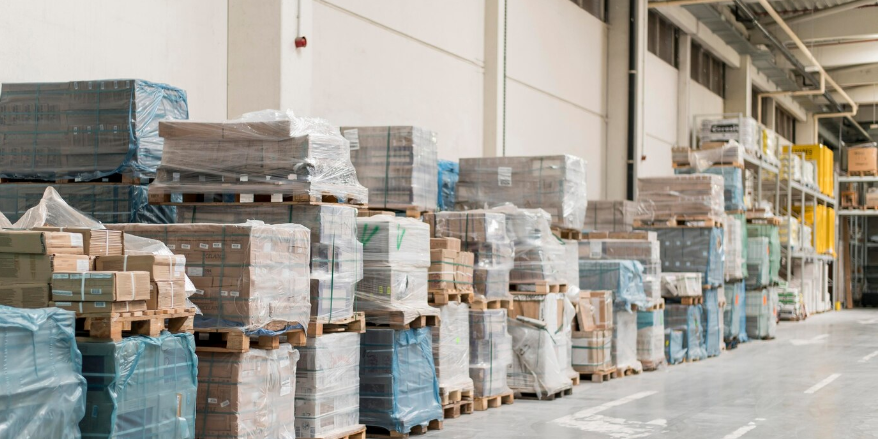
 
The gap between these stages can be a few hours for a local order or much longer for an international shipment. Carrier service, destination, customs, weekends, public holidays, weather, and address issues can all affect the final delivery time.
 Does Fulfilled Mean Delivered?

What if Tracking Says Delivered but the Package Is Missing?

Check:
 
  • the delivery photo;
  • the mailbox or parcel locker;
  • the building front desk;
  • household members;
  • nearby neighbors;
  • the address shown in the order;
  • the carrier’s delivery record.
 
Then contact the seller or carrier using the procedure shown for that order. Save screenshots of the order status, tracking history, messages, and any delivery photo.


What Does Partially Fulfilled Mean?

“Partially fulfilled” normally means that some items or quantities have been fulfilled while others remain open.
 
This often happens because:
 
  • products are stored in different warehouses;
  • one item is out of stock;
  • a preorder will ship later;
  • the seller divided a large order into several parcels;
  • a restricted product needs a different shipping route;
  • part of the order was canceled or refunded;
  • different sellers are handling items in a marketplace order.
 
What to check
Why it matters
Fulfilled item list
Shows which products are included in the current shipment
Fulfilled quantity
Confirms whether every unit was processed
Tracking numbers
Separate parcels may use separate tracking
Remaining estimated date
Backordered items may have another delivery window
Refund or cancellation notice
A missing item may no longer be scheduled to ship
 
One order number can produce two or three parcels. It looks untidy, but it does not automatically mean the order is wrong.


Does Fulfilled Mean the Order Is Completed?
Not necessarily. “Completed” is another platform-specific status.
Does Fulfilled Mean the Order Is Completed?
A platform may consider an order completed when:
 
  • payment and fulfillment are complete;
  • the goods have shipped;
  • delivery is confirmed;
  • the merchant closes the order manually;
  • a digital product becomes available;
  • a service is completed.
 
The order does not always remain incomplete until the return period ends. Return windows vary, and many systems display completed before a return deadline has passed.
 
Status
Typical meaning
Fulfilled
Fulfillment action recorded for the relevant items
Delivered
Delivery event recorded
Completed
The platform-defined order workflow is complete
Closed or archived
The order was removed from active work views
Returned
Goods or an eligible order were recorded as returned
Refunded
Payment was returned in full or in part


What Does Fulfilled Mean for Different Order Types?

The word becomes easier to understand once you know what kind of order you placed.
 

Physical Ecommerce Products

Fulfilled usually relates to warehouse and shipping work. Check the carrier acceptance scan to confirm physical movement.
 

Digital Products

A digital order may be fulfilled when the download, license, access link, or file is issued. No carrier or parcel is involved.
 

Store Pickup

A merchant may use fulfilled when an item is prepared or collected. Other systems use a separate “Ready for pickup” or “Picked up” status.
 

Subscription Orders

Each subscription cycle may create its own order and fulfillment. One fulfilled box does not mean the overall subscription has ended.
 

Dropshipping Orders

The storefront, dropshipping supplier, fulfillment application, and carrier may update at different times. A fulfilled update in the store can appear before the supplier’s tracking reaches the carrier network.
 

Marketplace and Multi-Seller Orders

Different sellers may fulfill their own items separately. Check the seller, item list, quantity, and tracking number attached to each shipment.
 

Custom and Made-to-Order Products

A custom order may spend more time in production before fulfillment. Materials, artwork approval, assembly, quality inspection, and special packaging can all affect the timeline.
 

Batteries, Fragile Goods, and Oversized Products

Special products may require another carrier, stronger packaging, extra documents, or a separate shipment. One part of the order may be fulfilled while the restricted item waits for a suitable route.


What to Do if an Order Is Fulfilled but Not Moving

Use this order of checks:
 
  1. Read the date and time of the fulfillment update.
  2. Check whether a tracking number exists.
  3. Open the carrier tracking page rather than relying only on the store page.
  4. Look for a carrier acceptance or possession scan.
  5. Check whether the order is partially fulfilled or split into multiple parcels.
  6. Compare the latest event with the estimated delivery window.
  7. Check weekends, public holidays, customs, weather, and address exceptions.
  8. Contact the seller if the order misses the stated window or remains without a carrier scan longer than the seller’s processing policy allows.
  9. Use the platform’s dispute, refund, or buyer-protection process before the relevant deadline if the problem remains unresolved.
 
For more detail on quiet tracking pages and delivery problems, see shipping delays and how to deal with them.
 

What if Tracking Only Says “Label Created”?

Give the warehouse enough time to reach its next scheduled carrier pickup. Then look for an acceptance scan.
 
If tracking remains unchanged beyond the seller’s stated handling period, contact the seller and ask a precise question:
 
Has the parcel been physically handed to the carrier, or has only the shipping label been created?
 
That usually gets a more useful answer than “Where is my order?”


Who Is Responsible After an Order Is Fulfilled?

Responsibility depends on the problem and the stage.
 
Party
Typical responsibility
Seller or merchant
Order accuracy, customer communication, refunds, replacements, and platform obligations
Fulfillment center or 3PL
Picking, packing, labeling, inventory handling, and carrier handoff under the service agreement
Marketplace
Payment flow, status interface, buyer protection, and dispute procedures
Carrier
Physical transportation, tracking scans, delivery attempts, and claims under its terms
Customer
Correct address, delivery access, import information, and timely issue reporting
 
The fulfilled status does not automatically end the seller’s responsibility. The customer purchased from the seller or marketplace, not from a green status badge.


How Ecommerce Businesses Should Use Fulfillment Statuses

Accurate status updates reduce “Where is my order?” messages and help customers make better decisions.
How Ecommerce Businesses Should Use Fulfillment Statuses

Separate Warehouse Completion From Carrier Acceptance

Track separate internal timestamps for:
 
  • picking complete;
  • packing complete;
  • label created;
  • manifest closed;
  • carrier accepted;
  • first movement scan;
  • delivered.
 
This prevents a warehouse action from being mistaken for a carrier event.
 

Send Accurate Customer Notifications

Avoid sending “Your order is on the way” when only the label has been created.
 
A clearer message is:
 
Your order has been packed and the shipping label has been created. Tracking will update after the carrier accepts and scans the parcel.
 

Support Partial Fulfillment

Show customers which items shipped, which items remain open, and whether another tracking number will follow.
 

Create a No-Scan Alert

Set an exception alert when a fulfilled physical order has no carrier acceptance scan within the expected handoff period. The threshold should reflect warehouse cut-off times, carrier schedules, weekends, and holidays.
 

Track the Right Fulfillment Metrics

Useful metrics include:
 
  • order accuracy;
  • inventory accuracy;
  • pick-and-pack time;
  • carrier acceptance time;
  • split-shipment rate;
  • orders fulfilled without tracking;
  • delivery exceptions;
  • WISMO contacts.
 
For operational improvements, see how to improve the order fulfillment process.
 
Businesses that need controlled picking, packing, tracking, and carrier handoff can also review order fulfillment services.


Conclusion

“Fulfilled” is usually a merchant, warehouse, or platform fulfillment status. It is not reliable proof, by itself, that the carrier has the package or that delivery is complete.
 
To understand where an order really is, check the fulfilled item list, tracking number, carrier acceptance scan, latest movement event, and estimated delivery date.
 
In plain words: trust the timeline, not just the badge.


FAQs

What does order fulfilled mean?

It usually means the seller, warehouse, or ecommerce system recorded completion of the fulfillment action for all or part of the order. The exact action depends on the platform and order type.
 

Does fulfilled mean shipped?

Not always. Some platforms use fulfilled and shipped in similar ways, while others let a merchant mark an order fulfilled before carrier pickup or add tracking later. Check for a carrier acceptance scan.
 

Does fulfilled mean delivered?

No. Fulfilled is normally a merchant or platform status. Delivered means a carrier or delivery system recorded arrival at the delivery location.
 

Can an order be fulfilled but not shipped?

Yes. The label may be created while the parcel waits for pickup, the merchant may update the status manually, tracking may be delayed, or the order may be digital or prepared for store pickup.
 

Why is my order fulfilled but there is no tracking number?

The seller may add tracking later, the order may use an unsupported carrier, the integration may be delayed, or the order may not require physical shipping. Contact the seller if it is a physical product and no shipment information appears within the stated handling time.
 

What does partially fulfilled mean?

It means some items or quantities were fulfilled while others remain open. The order may be split by warehouse, inventory availability, seller, product restriction, or shipping date.
 

How long after fulfillment does shipping take?

There is no universal period. It depends on carrier acceptance, selected service, destination, weekends, holidays, customs, and delivery exceptions. Use the carrier tracking and order-specific estimate.
 

Can a seller mark an order fulfilled manually?

Yes, on some ecommerce platforms. A merchant or fulfillment application may update the status and add tracking during or after the fulfillment process.
 

What should I do if tracking only says label created?

Wait for the next scheduled carrier pickup, then look for an acceptance scan. If tracking remains unchanged beyond the seller’s stated handling period, contact the seller and ask whether the parcel was physically handed to the carrier.
 

What should I do if a fulfilled order never arrives?

Check carrier tracking, the address, split shipments, delivery photos, local pickup points, and the estimated date. Contact the seller and carrier, save evidence, and use the platform’s dispute or refund process before its deadline if the order remains unresolved.
 
Post views Post Views:9042

Get a Custom China Fulfillment Solution with FREE Storage for 30 Days

Want to know about our services, fees or receive a custom quote?

Please fill out the form on the right and we will get back to you within a business day.

The more information you provide, the better our initial response will be.

  • *

  • *

  • *

  • *

  • *
    Major destinations:

  • *

  • *

  • *

  • * Verification code