




Table of Contents
Table of Contents
You found a project you like, the early bird tier is still open, and you click "Back this project." At checkout you go to pay with PayPal out of habit, and it isn't there.
Kickstarter doesn't work like an online shop. It accepts fewer payment methods than most stores, and it doesn't take your money when you click. Once you know how pledges and charges work, the rest is easy to follow.
This guide is for both backers and creators. Backers will find which payment methods Kickstarter accepts and when the card is charged. Creators will find how Pledge Over Time works, what happens when payments fail, and how the money gets from backers to your bank and then out again as shipped rewards.
The rules below are from Kickstarter's help center as of November 2026. Kickstarter changes them from time to time, so check again before a big launch.
Which payment methods does Kickstarter accept?
Visa, Mastercard and American Express work on every project. Most other methods come with conditions, and a few aren't accepted at all.
|
Payment method
|
Accepted?
|
The catch
|
|---|---|---|
|
Visa, Mastercard, American Express
|
Yes
|
Works on projects in every country
|
|
Discover, UnionPay, JCB
|
Yes, partly
|
Only for US-based projects
|
|
Maestro, Visa Electron
|
No
|
Not accepted at all
|
|
Prepaid cards
|
Yes
|
Keep about $1 more on the card than your pledge
|
|
Apple Pay
|
Partly
|
Works in the iOS app; paused on the website for now
|
|
SEPA Direct Debit
|
Partly
|
Only German backers, German projects, pledges under €250
|
|
Pledge Over Time (3 payments)
|
Depends
|
Only if the creator turns it on and your pledge is big enough
|
|
PayPal
|
No
|
Not for pledges, not for account setup
|
|
Klarna, Affirm and other "buy now, pay later"
|
No
|
Pledge Over Time is the only split-payment option
|
|
Cash or checks
|
No
|
Paying a creator directly doesn't make you a backer
|
Kickstarter's payment help page has the full list. The methods people get stuck on are covered below.
Credit and debit cards: six networks, three of them US-only
Kickstarter takes debit and credit cards on six networks: Visa, Mastercard, American Express, Discover, UnionPay and JCB. Discover, UnionPay and JCB only work when the project is based in the US. If you're in Japan with a JCB card and want to back a UK board game, that card won't go through, but a Visa or Mastercard will.
Maestro and Visa Electron aren't accepted, so if that's what you have, you'll need another card.
Kickstarter treats debit and credit cards the same way. The difference is on your side. The charge comes weeks after you pledge, so a credit card gives you some breathing room, while a debit card pulls straight from your account and the money has to still be there on charge day. The timing is explained further down.
Prepaid cards and daily card limits
Prepaid cards are allowed, which surprises some people. Kickstarter asks that the card hold at least 1 USD more than your pledge (or the same amount in your local currency). Card checks and small holds can take a little off the balance, so a card loaded with exactly your pledge amount can fail by a few cents.
Daily spending limits catch people out too. If you're pledging for a big all-in tier, your card's daily cap may block the charge. Kickstarter suggests calling your card issuer to raise the limit, or using another card, such as a prepaid one.
Apple Pay, Link and other digital wallets
Wallet support on Kickstarter is uneven right now.
Apple Pay has been on Kickstarter for years and still works in the Kickstarter iOS app. On Kickstarter.com, though, the help page currently says Apple Pay is "temporarily unavailable," with no date for its return. If you're on a laptop and can't find the Apple Pay button, that's the reason. Use the app or a card instead.
Link comes from Stripe, which runs Kickstarter's checkout. It saves your card details so you can check out faster next time. It's a shortcut to a card you already use rather than a separate way to pay.
Google Pay doesn't appear on Kickstarter's help pages. Some people say they've seen it at checkout and others haven't, so I wouldn't count on it. Have a card ready.
SEPA Direct Debit: Germany only
Most guides miss this one. Kickstarter supports SEPA Direct Debit, which takes the money straight from a bank account, but only when all three of these are true:
- You're a backer in Germany
- The project is based in Germany
- Your pledge is under €250
If all three apply, you may see the option at checkout. Otherwise you'll need a card.

What Kickstarter won't take: PayPal, BNPL and cash
Buy now, pay later services such as Klarna, Affirm and Afterpay aren't supported. On Kickstarter, the only way to split a pledge is Pledge Over Time, which is covered below.
Cash and checks don't work either. Pledges have to go through the site with a card. Money you send a creator directly doesn't show in the project's total and doesn't get you a reward through Kickstarter.
PayPal is the method people ask about most, so it has its own section.
Does Kickstarter accept PayPal?
No. Kickstarter says PayPal isn't supported for pledges or for setting up an account. Kickstarter moved from Amazon Payments to Stripe back in 2015, and PayPal was never added.
Backers who want to use PayPal money usually try one of three things.
Some use a debit card that draws on a PayPal balance. Kickstarter sees it as an ordinary Mastercard or Visa. Whether it works depends on your country and your card, and it isn't an official Kickstarter feature, so treat it as a maybe.
Others wait for the creator's pledge manager. After a campaign ends, many creators open one for late backers and add-ons, and some of those tools take PayPal. That money doesn't count toward the Kickstarter total, though. If you want to help the campaign reach its goal, you have to pledge on Kickstarter.
The third option is to use a card. It's boring, but it's the cleanest route.

When does Kickstarter charge your card?
Kickstarter is different from an online store here. A pledge is a promise to pay, and the rule is:
You're only charged after the campaign ends, and only if it hits its funding goal.
If the project falls short, nobody is charged and the pledge simply lapses.
It works like a group dinner where everyone says "I'm in" first. The bill only gets split if enough people show up. If the table stays half empty, the dinner is off and no one pays.
Authorization holds vs real charges
You may see a small pending charge right after you pledge. That's usually a card authorization, where Kickstarter's payment processor checks that the card is real and works. The hold drops off on its own, and the actual charge comes after the deadline.
Some bank statements also label Kickstarter charges as "recurring." Kickstarter says you're charged once for your pledge, so the label comes from how some banks describe the transaction.
Late pledges are charged right away
Some projects accept Late Pledges after the campaign has already succeeded. Those are the exception to the end-of-campaign rule: your card is charged immediately, since the goal has already been met.

Pledge Over Time: Kickstarter's own way to split a payment
Paying for a big pledge all at once can hurt. Pledge Over Time lets a backer split a pledge into three equal payments. It works like this:
- The creator has to switch it on before launch. Backers can't turn it on themselves.
- At checkout, backers choose to pay in full or use Pledge Over Time.
- The first payment is charged when the campaign ends successfully.
- The other two are charged automatically, once a month, until the pledge is paid off.
- It isn't available for Late Pledges.
Some coverage from early 2025 described Kickstarter's split payments as four payments every two weeks. That's out of date. Kickstarter's current Pledge Over Time FAQ describes three payments.
Minimum pledge by currency
A pledge has to meet a minimum to qualify, and the minimum depends on the project's currency. Kickstarter gives these examples:
|
Project currency
|
Minimum pledge for Pledge Over Time
|
|---|---|
|
USD
|
125.00
|
|
GBP
|
100.00
|
|
JPY
|
18,500
|
A $40 tier won't get the option. A $150 deluxe edition will, as long as the creator has turned it on.
What happens if an installment fails
If the first payment fails, the backer has 7 days to fix it. If the second or third payment fails, they get 14 days. After that, the pledge is dropped.
Kickstarter's FAQ says payments that already went through can stay with the project as support, and refunds for those are up to the creator. For backers that's a gray area, and worth knowing before choosing to split a pledge.
Creators should also know that backers on Pledge Over Time can't get into the project's Pledge Manager until all three payments are done. If you send your post-campaign survey early, those backers will be a few weeks behind everyone else, so plan for the delay.
Failed payments and the "Fix Payment" window
Even normal one-time pledges sometimes fail on charge day, more often than you'd think. Cards expire, banks flag a big foreign charge as fraud, accounts run low, and people move and get new cards.
When a charge fails, the creator sees the pledge as "errored." Kickstarter emails the backer and asks them to update their payment, which they can do from the "Fix Payment" banner on the site or in the app.
The backer has about a week. Kickstarter then makes one last attempt, and if that fails too, the backer is dropped. They lose the reward, and the creator loses the money.
A failed payment doesn't change whether the project counts as funded, but it does reduce the money that reaches the creator's account. Some creators find their final payout is a few percent below the number on the campaign page, and most of that gap is failed payments plus fees.
Backers can avoid most of this by checking their card's expiry date before the campaign ends, and by warning their bank if it tends to block foreign charges. Creators can post a reminder update near the deadline. It's a simple step, and it does save pledges.
The creator side: fees, payouts and cash flow
If you're running a campaign, the payment question soon turns into how much you actually get, and when.
What Kickstarter takes: 5% plus processing
A successful campaign pays two fees.
|
Fee
|
Who takes it
|
How much
|
|---|---|---|
|
Platform fee
|
Kickstarter
|
5% of funds collected, not counting taxes
|
|
Payment processing
|
Stripe
|
Roughly 3% to 5%, depending on the pledge
|
|
If the campaign fails
|
No one
|
No fees at all
|
Together they come to roughly 8% to 10% off the top. On a $50,000 campaign, that's somewhere around $4,000 to $5,000 before you've made a single unit, so build it into your reward pricing from day one.
Backers don't pay these fees on top of their pledge. They come out of the creator's side. A backer's bank might add a foreign transaction fee if the project uses a different currency, but that's between the backer and the bank.
When the money arrives
Kickstarter's payout usually lands about 14 days after the campaign ends. The two weeks leave time for charges to go through and for failed payments to be fixed.
With Pledge Over Time, the money arrives in three parts:
|
Payout
|
Roughly when, after the campaign ends
|
|---|---|
|
First payout
|
About 2 weeks
|
|
Second payout
|
About 8 weeks
|
|
Third payout
|
About 12 weeks
|
This schedule applies to projects whose first Pledge Over Time payout lands on or after January 15, 2026. Older projects got two payouts.
Your factory will usually want a deposit soon after funding. If a big share of your backers split their pledge, part of your money shows up three months later. That's fine if you planned for it and a headache if you didn't.
Collecting shipping money after the campaign
Many creators don't charge shipping during the campaign. They collect it later through a pledge manager, along with add-ons and addresses. Kickstarter has its own Pledge Manager for this, and there are third-party tools too. The fees work like this:
- Kickstarter's 5% platform fee also applies to Pledge Manager payments, except taxes.
- Stripe's processing fee is charged on the full payment, taxes included.
- Some outside pledge managers accept PayPal, which helps backers who couldn't use a card earlier.
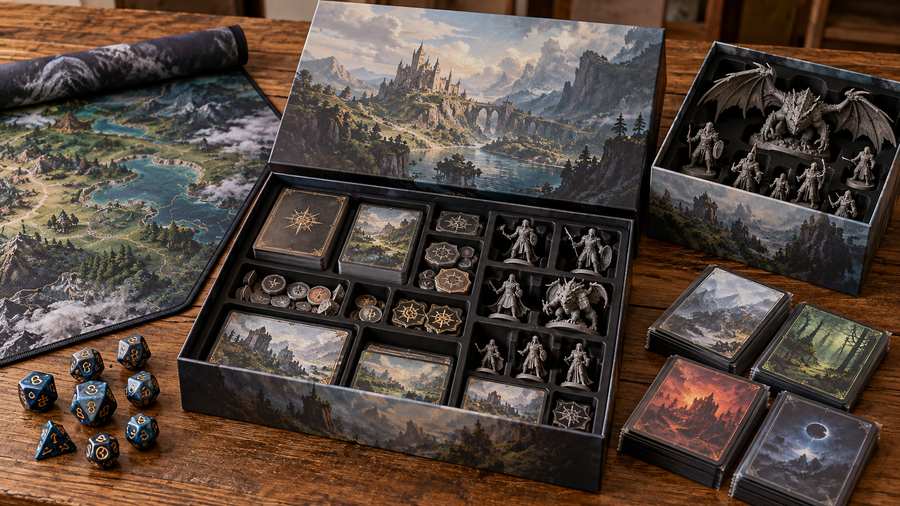
Base your shipping fee on real numbers: weight, box size, destination and the shipping method you'll actually use. A guess that's off by $3 per backer adds up fast across thousands of orders.
From payment to parcel: shipping rewards from China
Once the money is in, you still need to get every reward to every backer. If your product is made in China, it often makes sense to ship from there too.
Kickstarter fulfillment at SendFromChina covers this stage. The warehouse in China:
- Receives your finished rewards from the factory, or from several suppliers
- Checks them, labels them and stores them
- Packs orders by reward tier, including add-ons and bundles
- Ships them internationally, with tracking numbers sent back to you
There's no single price. A quote is built from storage, picking and packing, packing materials, shipping (which depends on route, weight, size and product type), and insurance or taxes where they apply. US shipments have a duties-paid option, so the backer doesn't pay import duty on delivery. It has limits: declared value can't go over $150, and it doesn't cover Alaska, Puerto Rico, Hawaii or Guam.
Delivery times are a reference range and aren't guaranteed. For the US, the range is about 7 to 12 business days, and customs, carriers and peak seasons can all shift it.
The longer guide to shipping Kickstarter rewards from China walks through each step. If you already know your product's weight and where your backers are, you can get a quote and use real numbers for your shipping fees before you launch.
Conclusion
Cards handle most Kickstarter pledges. Apple Pay works in the iOS app, and German backers can use SEPA for pledges under €250. PayPal, Klarna and cash aren't accepted.
Timing is the part to plan around. Backers aren't charged until the campaign succeeds. Creators are paid about two weeks later, or in three parts if Pledge Over Time is on, and failed payments and fees take a few percent along the way.
If you're backing a project, keep a working card ready on deadline day. If you're running one, plan your cash flow and shipping costs around when the money actually arrives, rather than the total on the campaign page.
FAQs
Can I use PayPal on Kickstarter?
No. Kickstarter doesn't support PayPal for pledges or for account setup, so you'll need a debit or credit card. Some creators accept PayPal in their pledge manager after the campaign, but that money doesn't count toward the campaign total.
Does Kickstarter accept debit cards?
Yes. Debit and credit cards on Visa, Mastercard, American Express, Discover, UnionPay and JCB all work. Discover, UnionPay and JCB are only for US-based projects.
Can I use a prepaid or gift card on Kickstarter?
Prepaid cards work. Make sure the card holds at least $1 more than your pledge, so a small hold doesn't make the charge fail.
Does Kickstarter take Apple Pay or Google Pay?
Apple Pay works in the Kickstarter iOS app, and Kickstarter says it's temporarily unavailable on the website. Google Pay isn't listed in Kickstarter's help pages, so plan to use a card.
When does Kickstarter charge my card?
After the campaign ends, and only if it reaches its goal. If it doesn't, you aren't charged. Late Pledges are charged right away.
Why do I see a pending charge before the campaign ends?
That's usually a temporary authorization to check that your card works. The real charge comes after the deadline if the project is funded.
Can I pay for a Kickstarter pledge in installments?
Only through Pledge Over Time, and only if the creator turned it on. It splits your pledge into three monthly payments, and the pledge has to meet a minimum, such as $125 for USD projects.
What happens if my Kickstarter payment fails?
Kickstarter emails you and asks you to fix it. You have about a week to update your card through the "Fix Payment" banner. If the payment still fails, your pledge is dropped and you won't get the reward.
Can I change my payment method after pledging?
Usually, yes. While the campaign is live, you can open your pledge and update the card, which is worth doing if your card is about to expire.
Do backers pay any Kickstarter fees?
No. Kickstarter's 5% fee and the payment processing fee come out of the creator's funds. Your bank might add a foreign transaction fee if the project uses another currency.
 Want to know about our services, fees or receive a custom quote?